Privacy by design
Everything runs on your machine. Files and text never leave your computer — encryption keys are derived from your password at runtime.
A modern desktop application for authenticated encryption of text and files — powered by AES-256-GCM and PBKDF2-HMAC-SHA-256 (600,000 iterations). Private, local, and open source.
A local-first desktop tool that turns strong cryptography into a simple, approachable experience — no cloud, no accounts, no telemetry.
Everything runs on your machine. Files and text never leave your computer — encryption keys are derived from your password at runtime.
Encrypt secrets, notes, or entire files. Output is Base64-encoded and saved locally for easy sharing or archival.
GCM authentication tags detect tampering. A wrong password or modified ciphertext fails closed — you are alerted, not silently decrypted.
A focused feature set built around correctness, usability, and security.
Encrypt and decrypt any text instantly with a password. Output is portable Base64.
Batch-encrypt files to Base64 .txt outputs. Decrypt them back with the same password.
Clean, centered interface with live status, file chooser, and readable results.
Long file operations run on a background SwingWorker, keeping the interface responsive.
UTF-8 handling and a Devanagari-capable font let you encrypt text in any language.
12-character minimum password, random salt & IV per encryption, and explicit error handling.
Modern, standards-based cryptography — no home-grown algorithms.
Authenticated encryption with a 256-bit key and a 128-bit GCM tag. Provides confidentiality and integrity in one pass.
Password-based key derivation with 600,000 iterations — aligned with current OWASP guidance — slowing brute-force attacks.
Encrypted output carries an EDT1 magic header, salt, IV, and ciphertext — so the tool can validate and reject malformed input.
Wrong password, corrupted data, or tampered ciphertext raises explicit exceptions — never a silent, unsafe result.
A clean, modular Java package layout with clear separation of concerns.
Application entry point
Swing UI & interactions
AES-GCM + PBKDF2 core
File encrypt/decrypt
Input validation
Typed error handling
A strong password (12+ chars) seeds the key derivation.
PBKDF2-HMAC-SHA-256 runs 600,000 iterations with a random salt.
AES-256-GCM encrypts your text or file with a random IV.
Result is wrapped in the EDT1 format and Base64-encoded for safe storage.
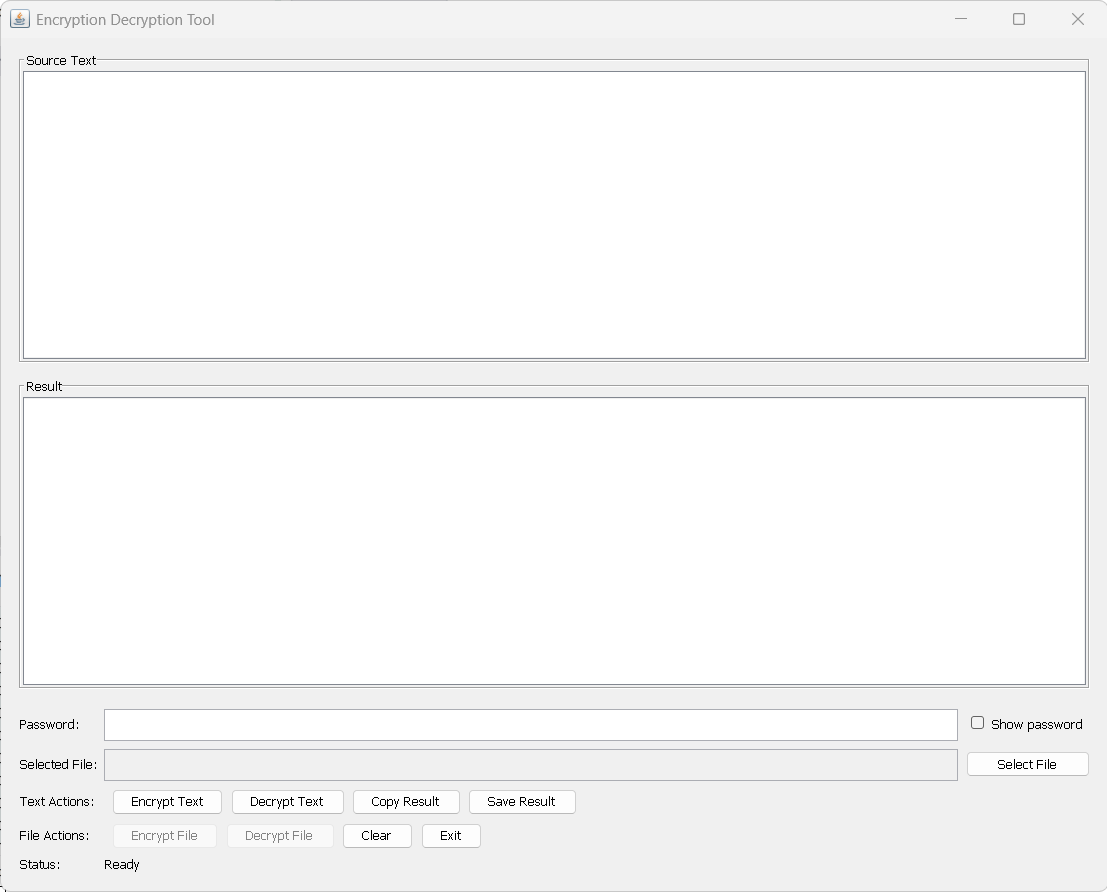
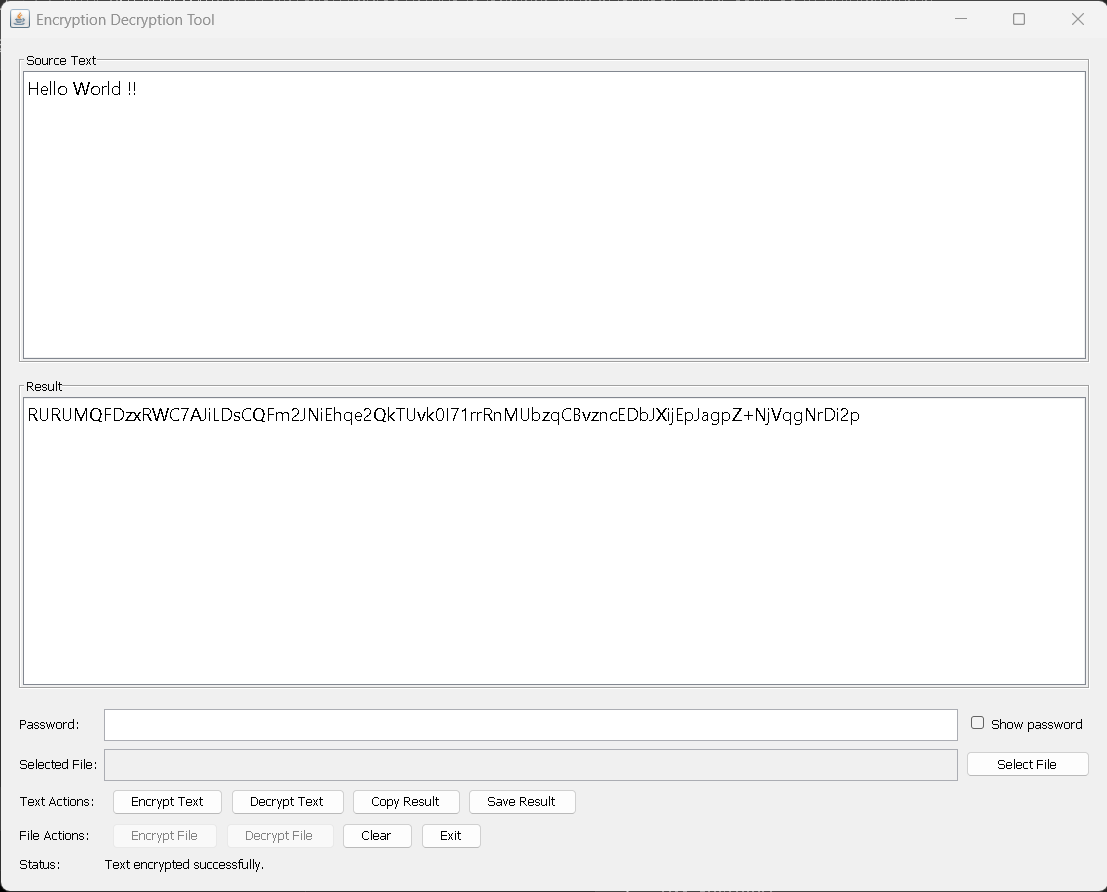
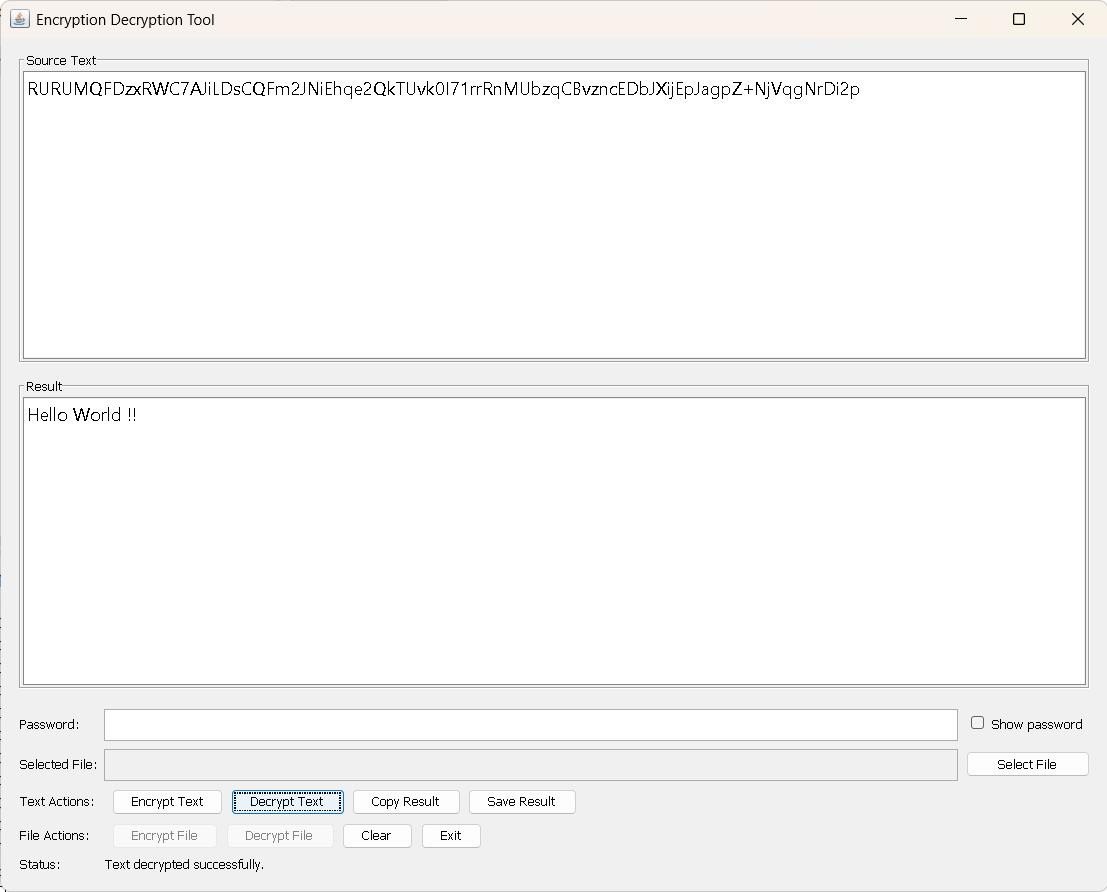
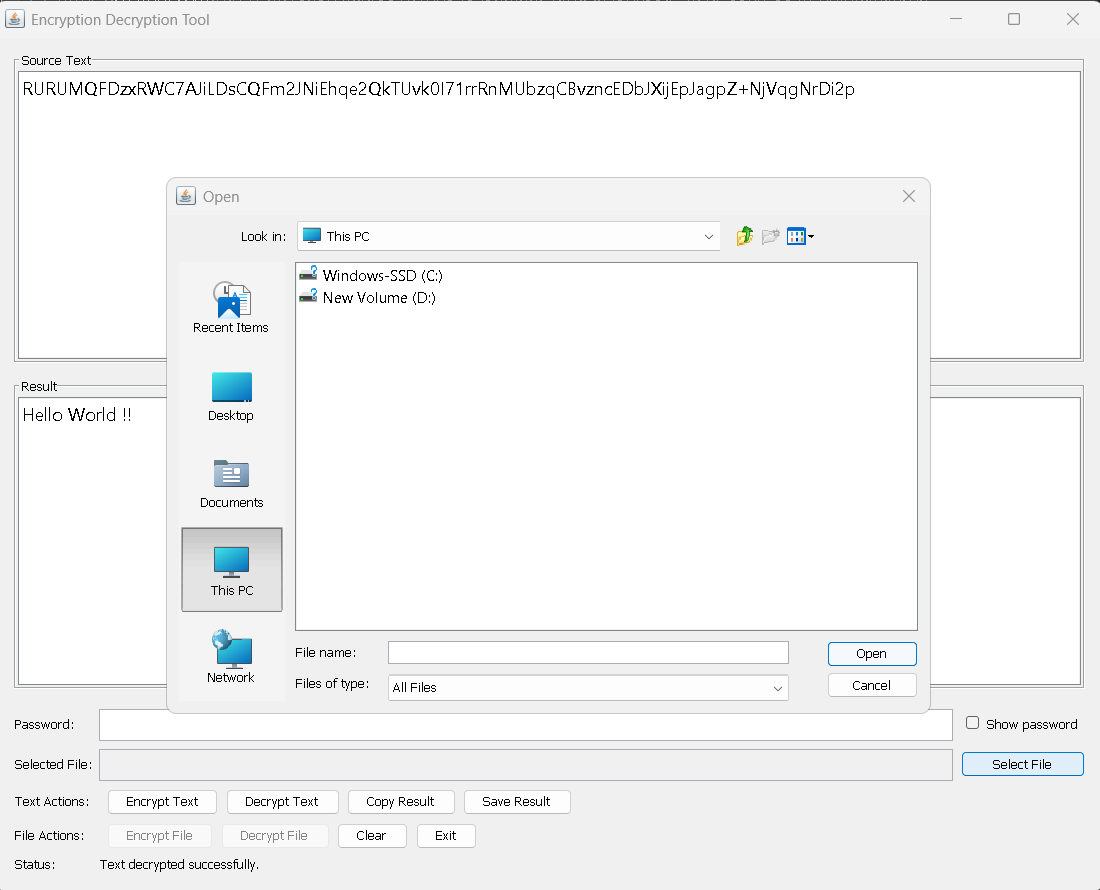
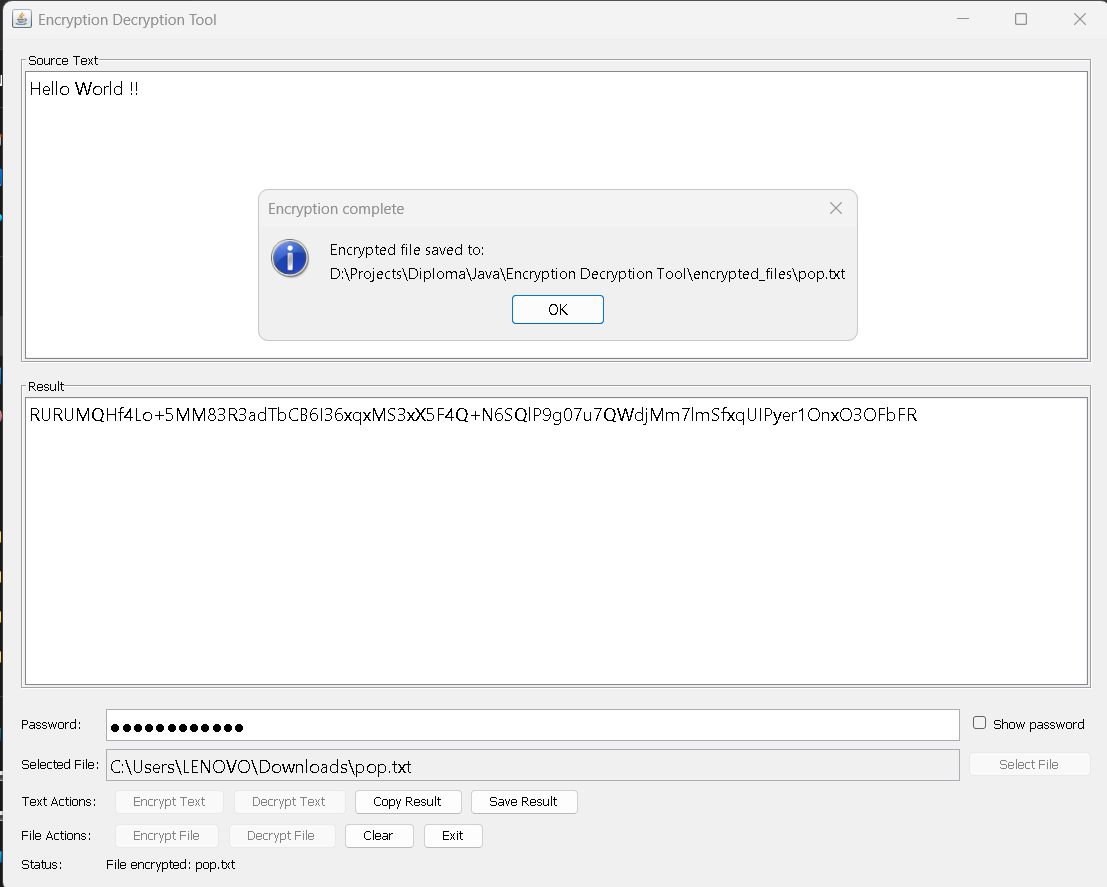
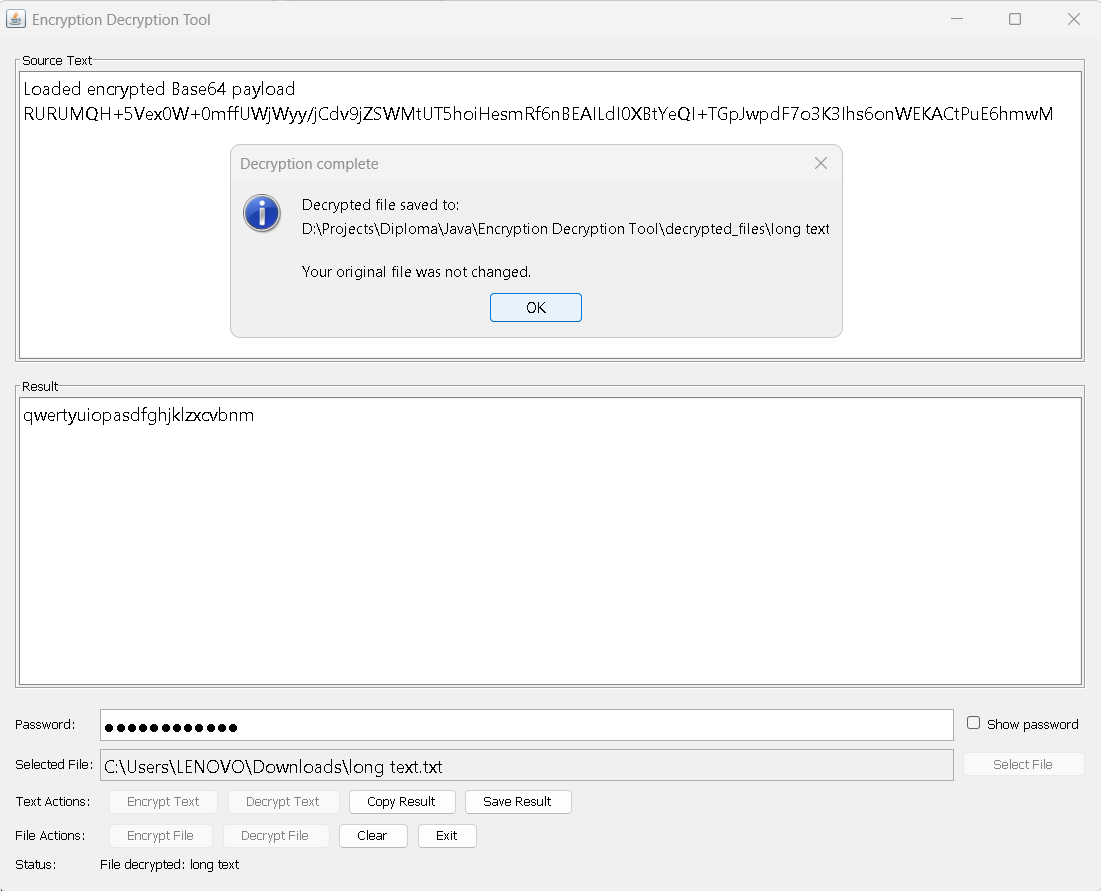
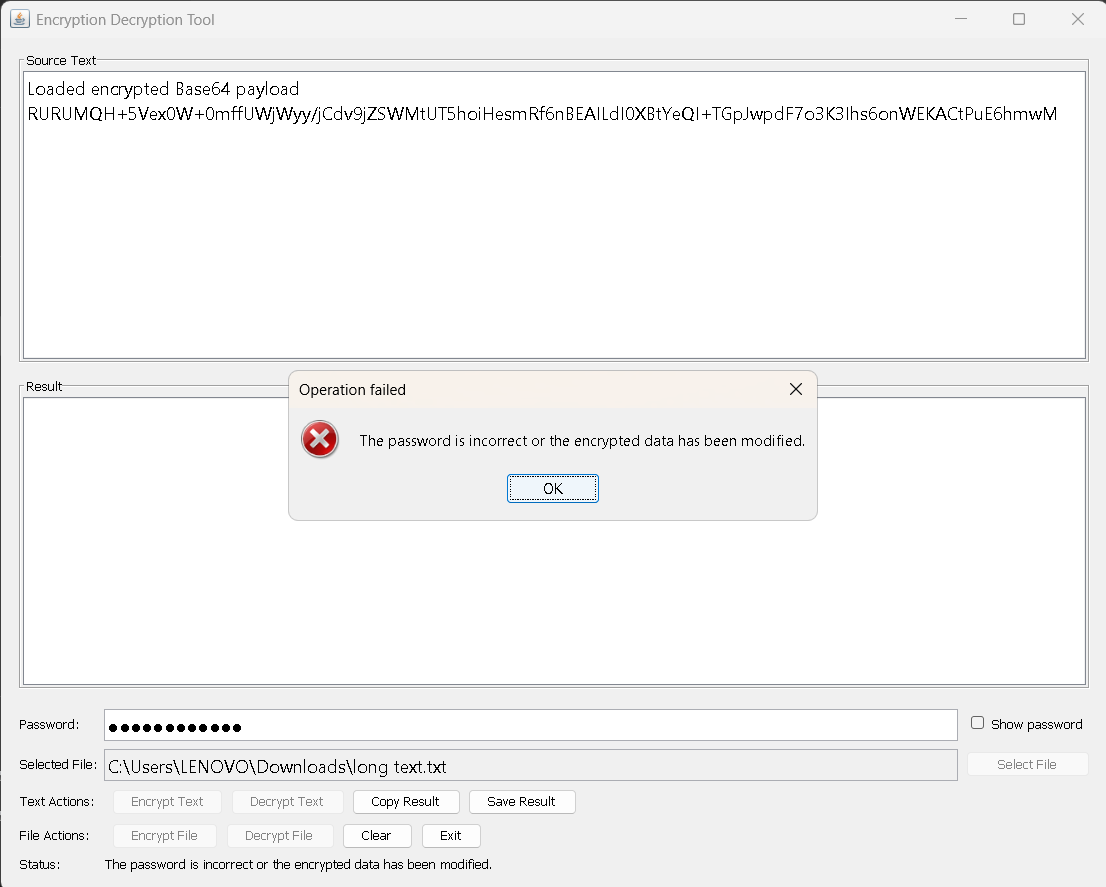
See the tool encrypt and decrypt text and files in action.
A fully client-side encrypt / decrypt playground — powered by the browser's Web Crypto API. Nothing leaves your device.
Browser-based AES-256-GCM · PBKDF2-HMAC-SHA-256
EDT1 | version | salt(16) | iv(12) | ciphertext+tag, then Base64.This in-browser tool mirrors the Java desktop app's security model. For files and a packaged executable, use the Download section.
Runs locally on any machine with Java 17+.
Packaged executable JAR · ~Java 17 required · Cross-platform (Windows, macOS, Linux)
Full project guide on GitHub.
Phases, diagrams, and analysis.
Clone, build with Maven, run the JAR.
# Clone the repository
git clone https://github.com/girishshenoy16/encryption-decryption-tool-java-gui.git
cd encryption-decryption-tool-java-gui

# Build the executable JAR
mvn clean package

# Run the application
java -jar target/encryption-decryption-tool-1.0.jarThis project was built as a hands-on exploration of secure software development — combining cryptographic theory with a real, usable desktop application. It reflects a commitment to clean architecture, tested code, and privacy-respecting design.
No. All encryption and decryption happens locally on your machine. Nothing is uploaded.
AES-256-GCM for authenticated encryption, with keys derived via PBKDF2-HMAC-SHA-256 at 600,000 iterations.
Encryption is keyed solely from your password. There is no recovery mechanism by design — this is what keeps it secure.
Any desktop OS with Java 17 or newer (Windows, macOS, Linux).
No. GitHub Pages hosts this informational site only. Download the JAR to run the application locally.
Yes — 14 JUnit tests cover the crypto and file-service layers.